Jury Lab

Emotion response analyzing software

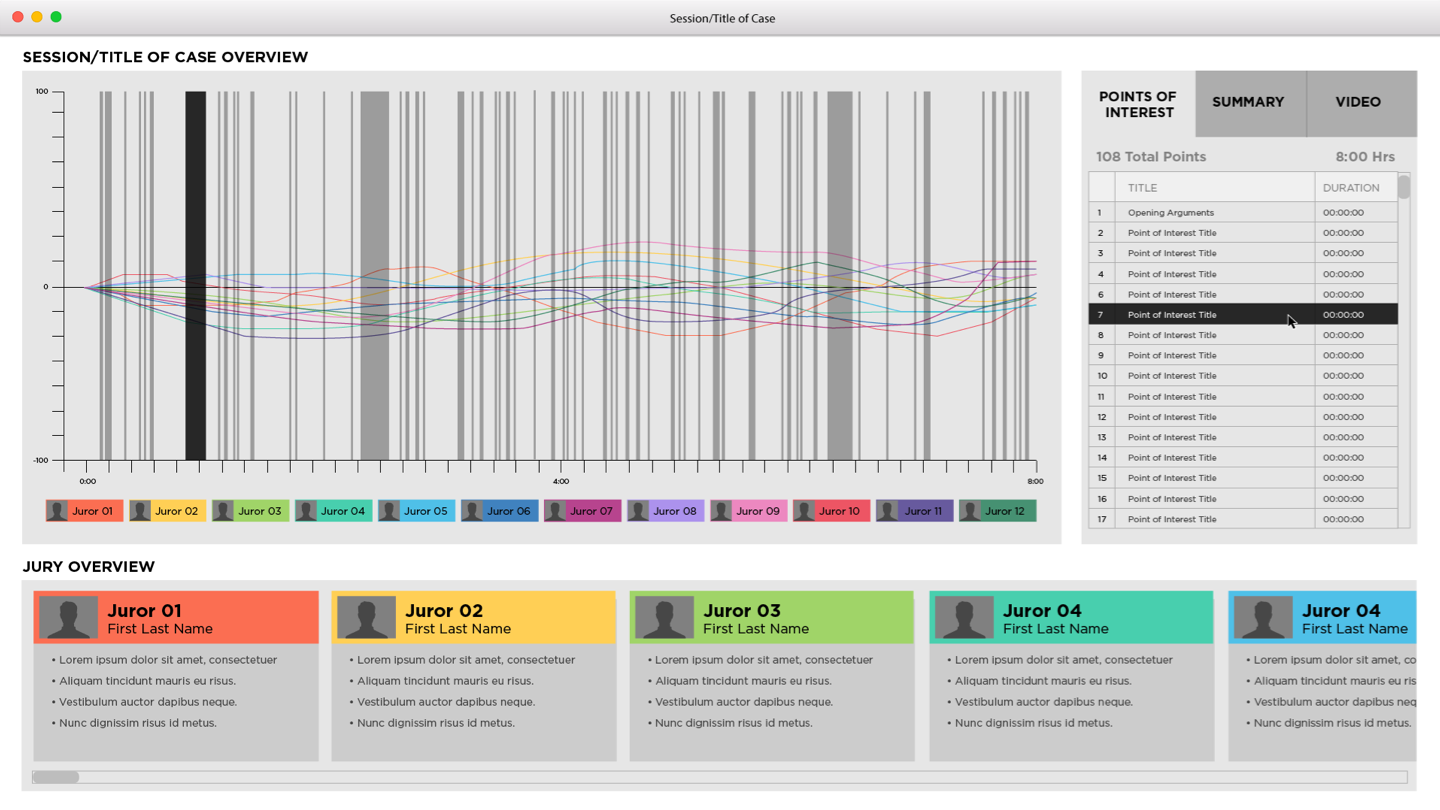
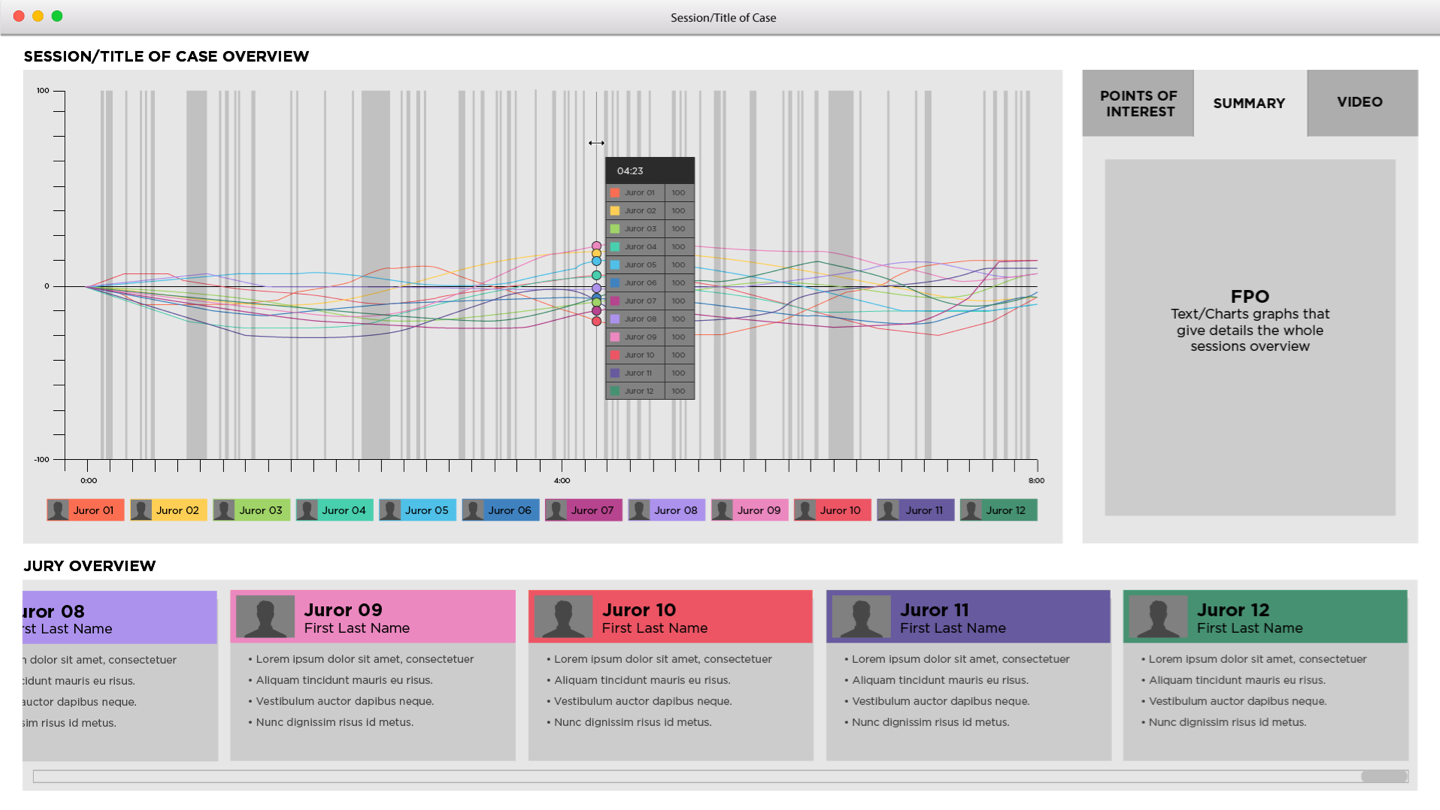
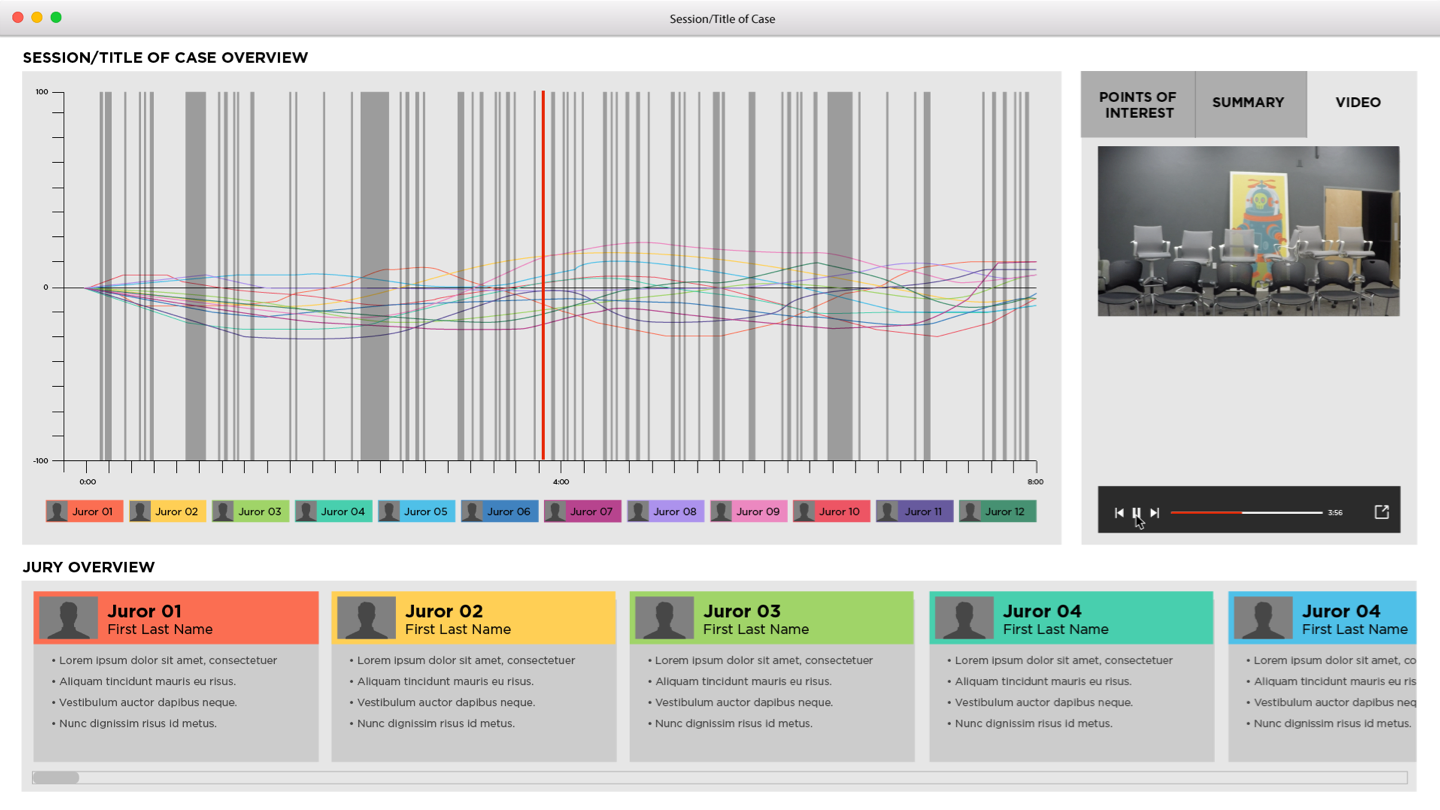
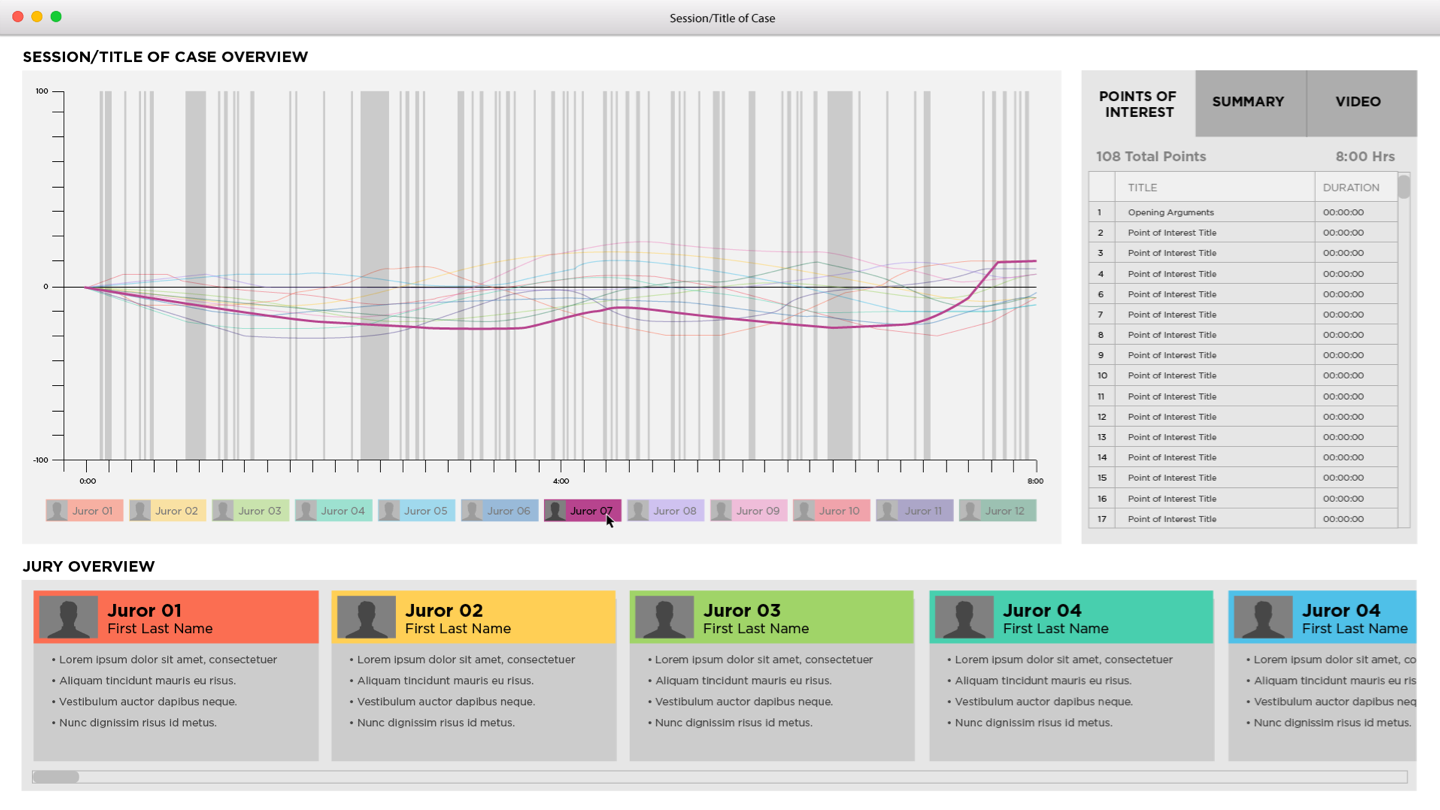
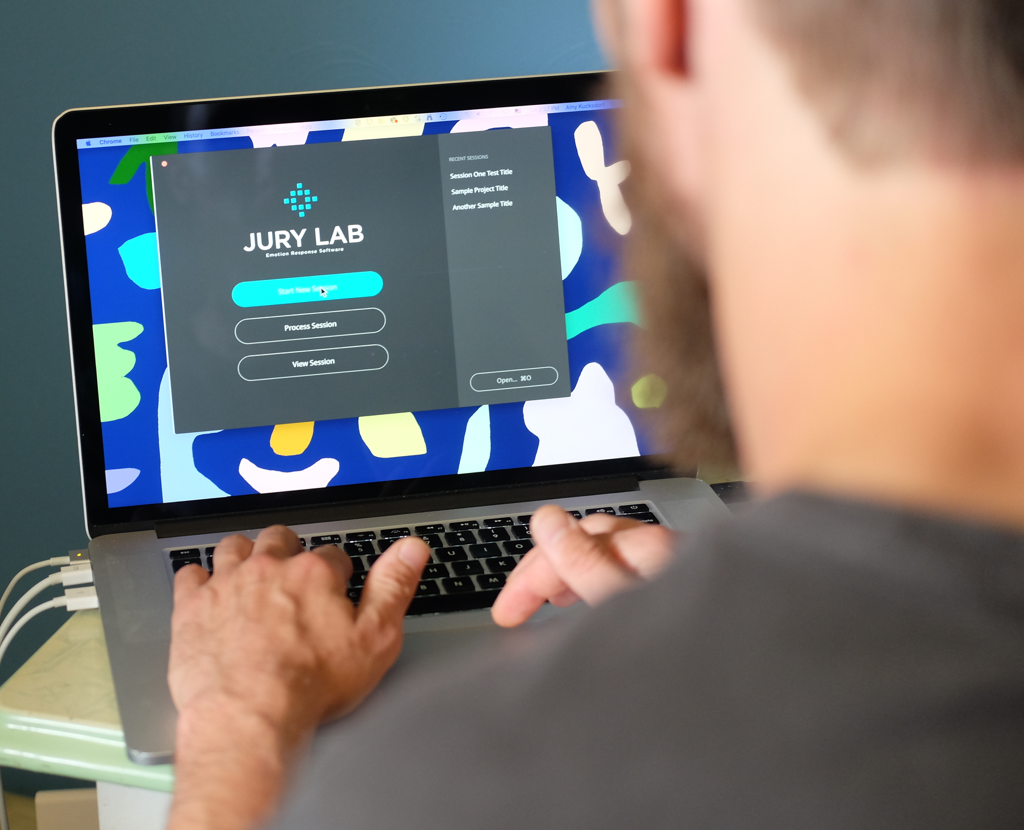
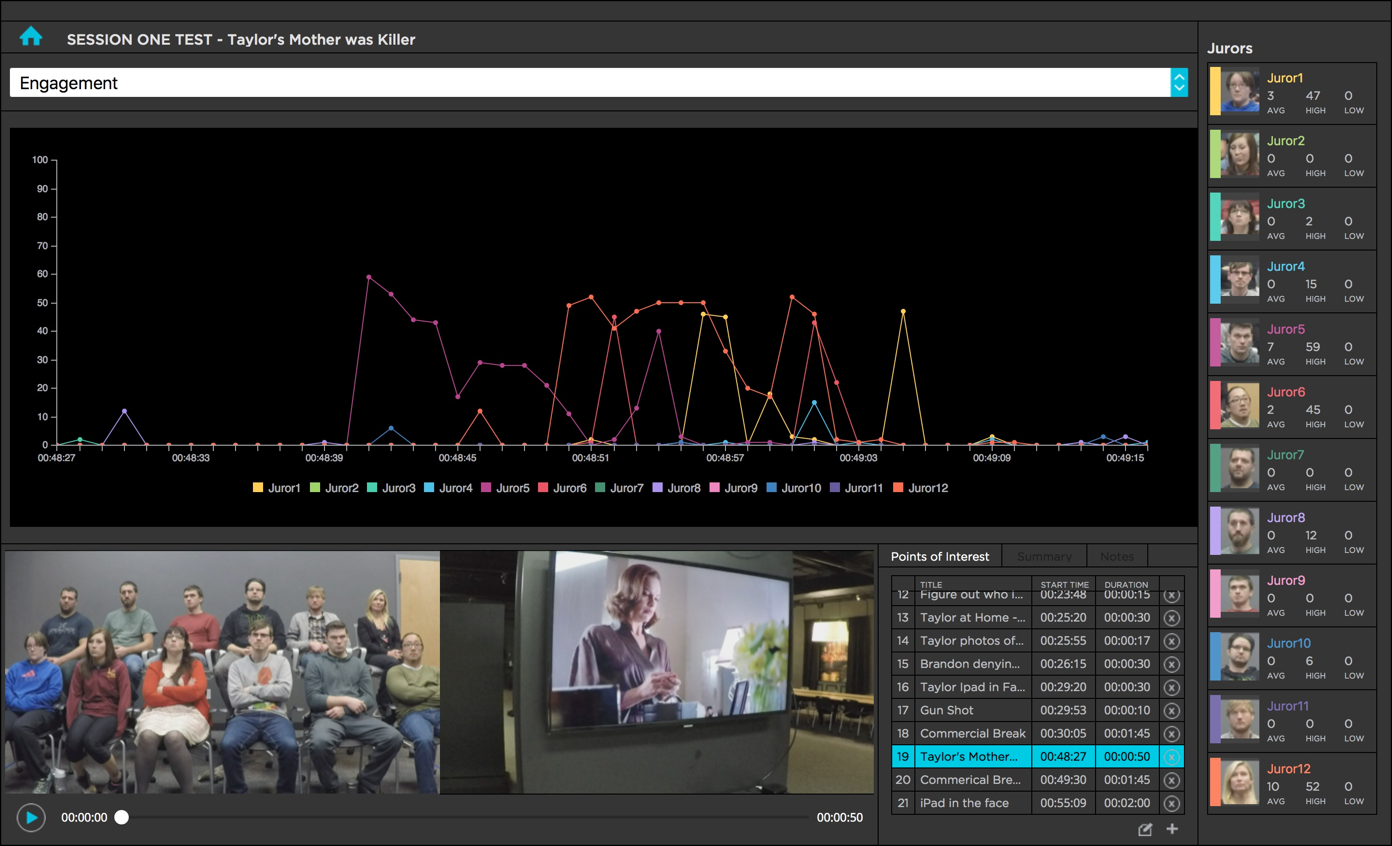
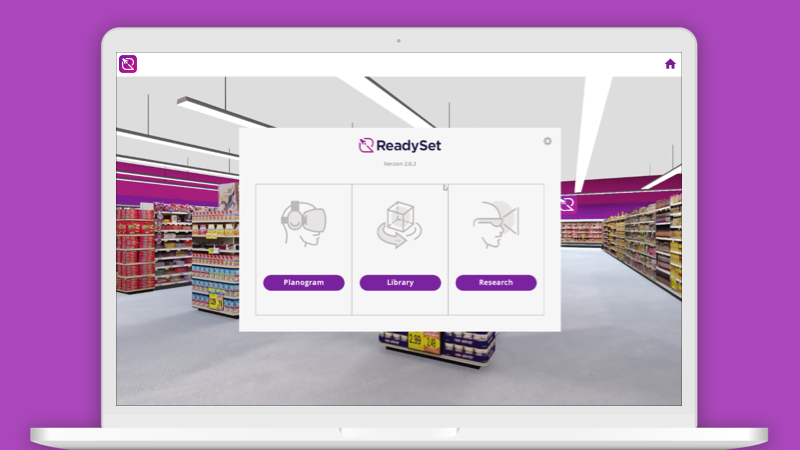
Jury Lab software shown on laptop

Overview

Jury Labs is a product that helps attorneys improves the chance of successful outcomes by testing jury's emotional responses to their arguments using insights gained by consultant and human behavior experts using Emotion Recognition Technology.

The goal of this project was to create a product that trial consultant and human behavior expert, Susan Constantine, could use to measure and gather data on a jury's emotional response.

Outcome

The MVP was successfully launched within the 6 month timeframe and was evaluated at 9 million dollars. Shortly after launch, it was purchased and adopted by two enterprise level clients, General Mills and The Hershey’s Company. It also successfully raised A round venture capital funding to continue to grow and improve the product.

Client

Susan Constantine

Platform

macOS

Timeline

3 months

My Role

My responsibilities with Jury Labs were product design and project management. I was part of a team made up of four people, including a software developer, an account executive, a design intern, and myself, as the lead designer.

I also worked closely with the stakeholders, Susan Constantine, and her team, to ensure business goals were prioritized. The software developer and I collaborated to guarantee the product was feasible once technical limitations were taken into consideration and tested.

Responsibilities

  • Research
  • Project Management
  • User Experience Design
  • User Interface Design
  • User Testing

Problem

Attorneys do not know how a jury will react to their legal arguments before a trial takes place.
Process

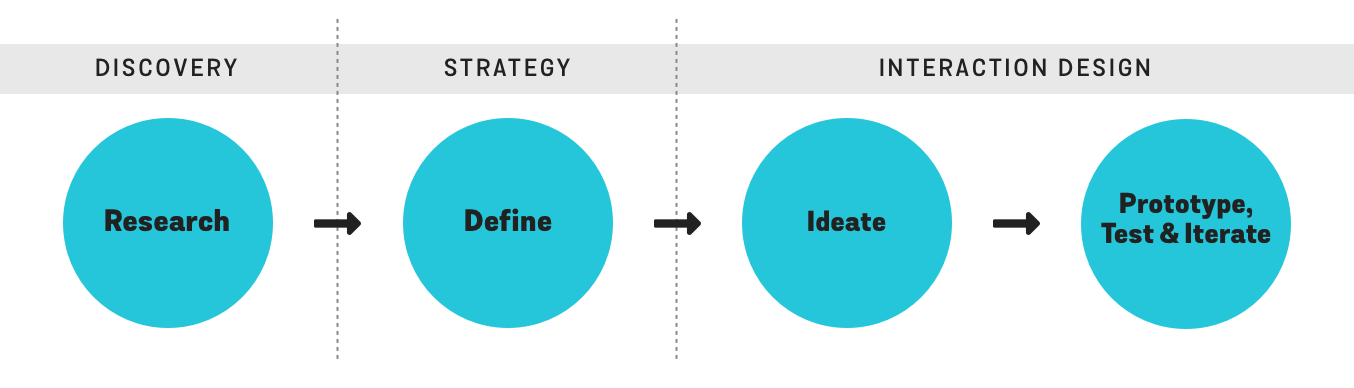
With a very small team, and a fixed amount of time to complete the project, our approach was to be as agile as possible. I researched the problem we were trying to solve, and based on the understanding I achieved, defined the scope of the project. This led to a cycle of prototyping, testing, and iterating, and eventually to a final product.

process diagram

Research

In order to create an informed user experience, I conducted user research through surveys and qualitative interviews. I also conducted interviews with stakeholders to achieve an understanding of the business goals.

User Research

Surveys

I collected data on potential users by conducting a survey. 447 attorneys were questioned about their familiarity with mock trial consulting and focus group services. They were asked to rate the value of these services. The purpose of the survey was to determine how our concept would be received by legal professionals.

59%
of respondents understood the value of a mock trial consulting/focus group services
24%
of respondents have used mock trial consulting/focus group services in the past
70%
agreed emotions played a significant role in jurors’ decision-making process

When asked about the advantage of receiving emotive response data on mock jurors’ reactions to presentations

34%
felt it would be “very significant”
53%
thought it would be “a helpful resource”

When asked about being able to have a more complete understanding of mock jurors’ emotional reactions to witnesses, evidence, and pictures/videos during presentations, attorney responses ranged from

54%
saying it would be “a helpful resource”
30%
stating it would be “very significant”

Qualitative Interviews

I conducted qualitative interviews with 3 attorneys to discern the challenges they face when they are preparing and practicing their legal arguments, and how data pertaining to emotional reactions could be helpful to them.

Insights from Qualitative Interviews
  • Time
    Attorneys are often very busy while preparing for a trial, and don’t have time to sift through large amounts of data. Feedback needs to be clear and concise, to allow for quick reaction.
  • Scenarios
    Mock trials are usually only conducted for very complex cases, so having a mock jury to practice in front of is relatively uncommon. Emotion recognition could be helpful in other situations, however, such as: depositions, jury selection, witness preparations, and while developing opening arguments.
  • Legality
    Some attorneys had concerns about the legality of using this type of technology in their practice. Although none were aware of any issues using it outside of the courtroom, they were well aware it couldn't be used inside. Therefore, it would only be useful while preparing for a trial, but not during.

Stakeholder Interviews

I also interviewed the primary stakeholders, Susan Constantine and her partner, to clearly define the business goals.

photo of Susan Constantine

“Having hard data to back up my observations on human behavior is critical. Attorney’s are very analytical and this new technology can help bring authority to my examinations. I need something that will show me this data so I can use it to back up and improve my analyses. I’m excited about this new technology opening up new business opportunities for me.”
— Susan Constaine, MPsy

Define

Combining the information I gathered from the discovery session with results from testing Emotion Recognition Technology, the software developer and I worked together to establish a set of core features for the product that would address the user’s pain points, and meet the stakeholder’s business goals.

Features

We created a list of features via a brainstorming and white-boarding session.

  • Record and show video of the observers and presenter
  • Data visualization for emotions
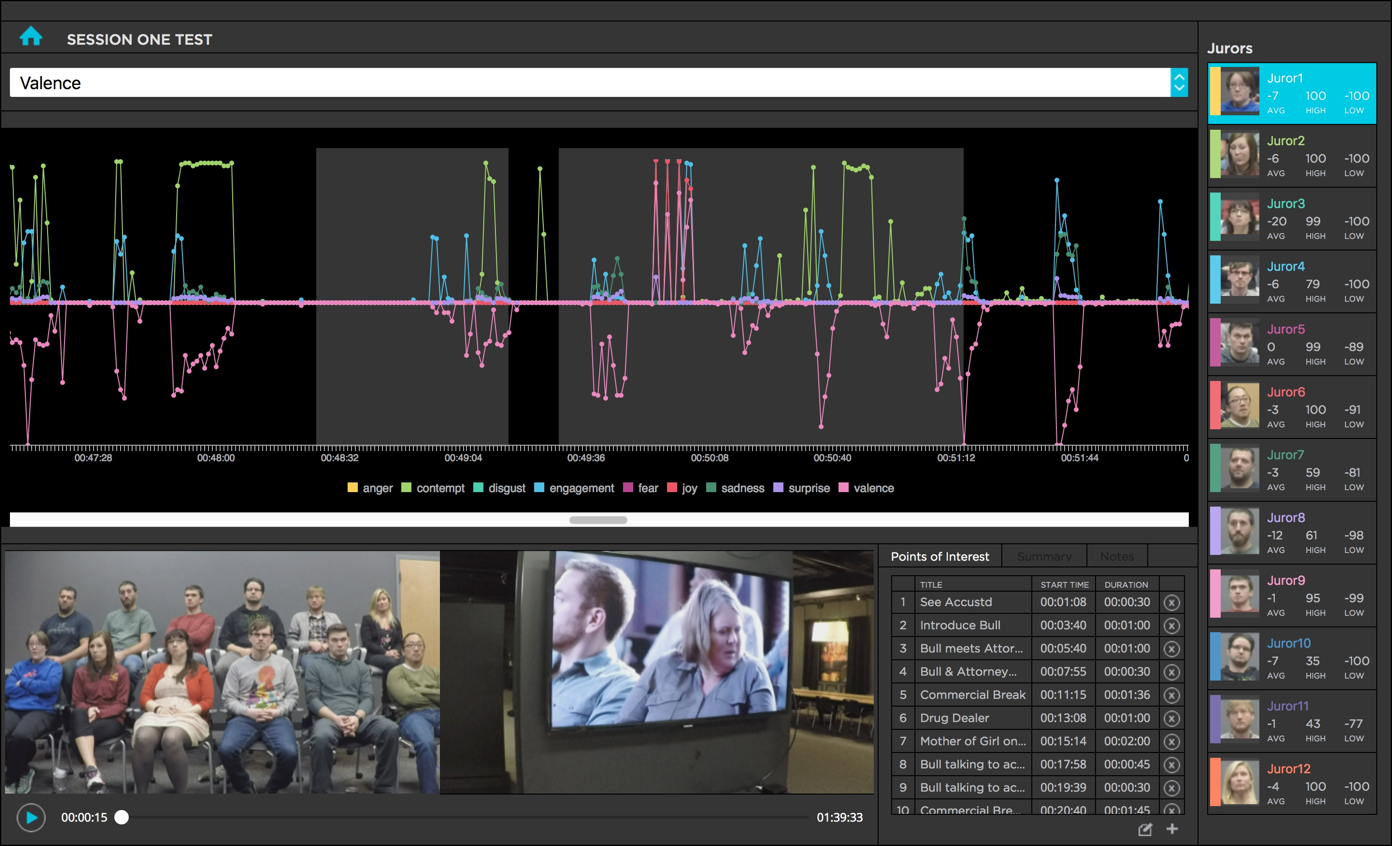
  • Data visualization for valence: Positive, Negative & Neutral Sentiments
  • Data visualization for facial expressions
  • Basic video functionality - play/pause, show time, scroll/scrub through video
  • Range of 1 to 12 faces being analysed at a time
  • Hints or marks/timestamps to indicate that something of interest has happened
  • Summary area for notes to be taken
  • Screenshot feature to easily make an image of the data visualization

Ideate

Once the team and stakeholder approved the features list, I began to create UX User Flows, Sketches and Wireframes.

UX User Flows

UX User Flows specify a series of steps a user takes to achieve a meaningful goal. This process allowed me to clearly define the more abstract and technical parts of the app in a straightforward way, and ultimately translate a list of features into an end product.

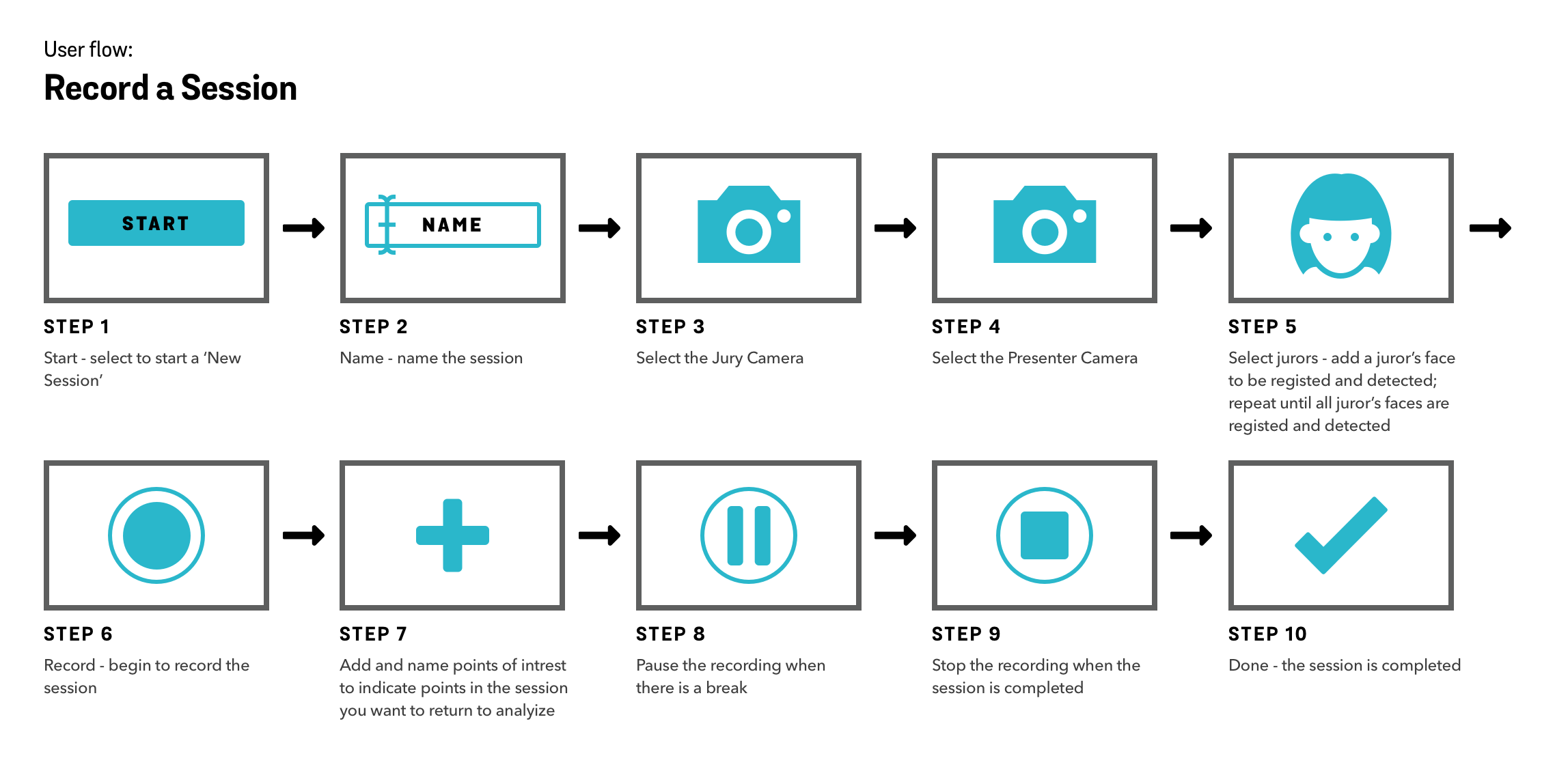
Record a Session

This diagram describes the steps to record a video of a juror’s face to be analyzed by Emotion Recognition Technology.

Record a Session UX Flow Diagram

Record a Session UX flow diagram - Zoom In

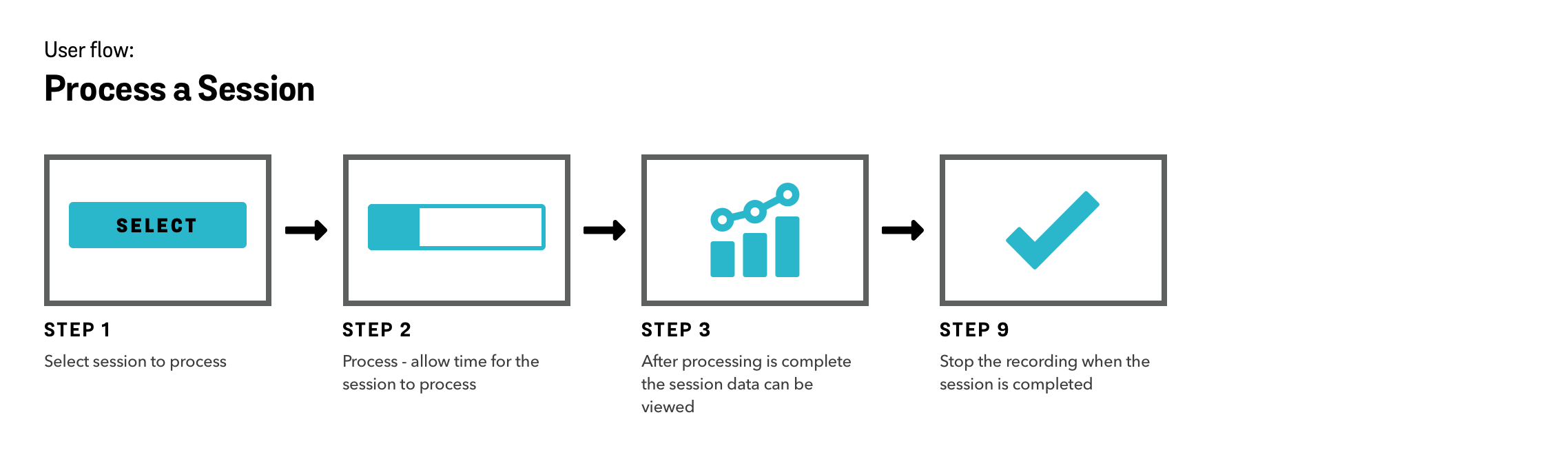
Process a Session

This diagram describes the steps to analyze the video with Emotion Recognition Technology so the data can be viewed.

Process a Session UX Flow Diagram

Process a Session UX Flow Diagram - Zoom In

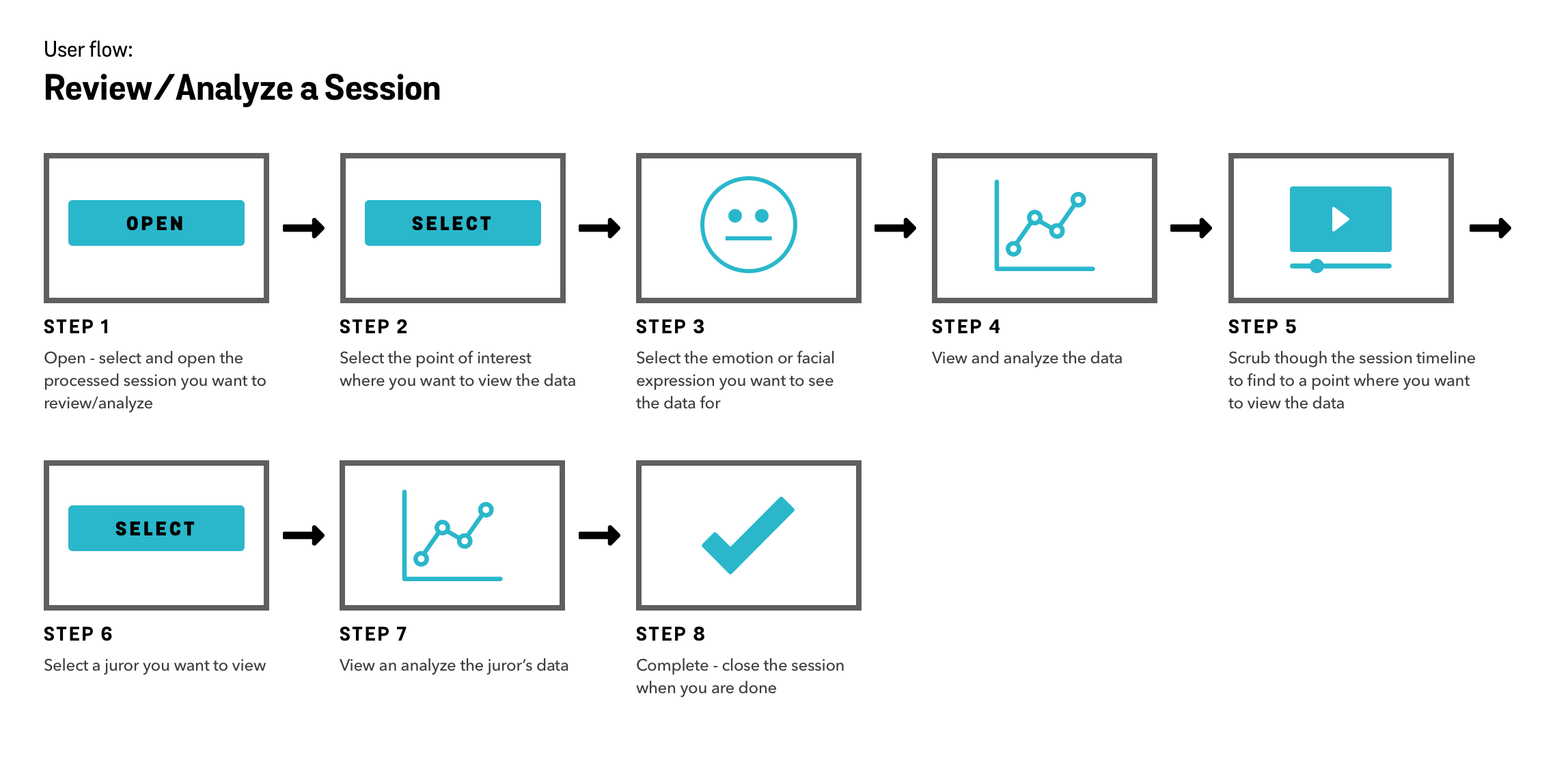
Review/Analyze a Session

This diagram describes the steps to analyze the Emotion Recognition Technology data so conclusions can be reached with the data.

Review/Analyze a Session a Session UX Flow Diagram

Review/Analyze a Session a Session UX Flow Diagram - Zoom In

Sketch & Wireframe

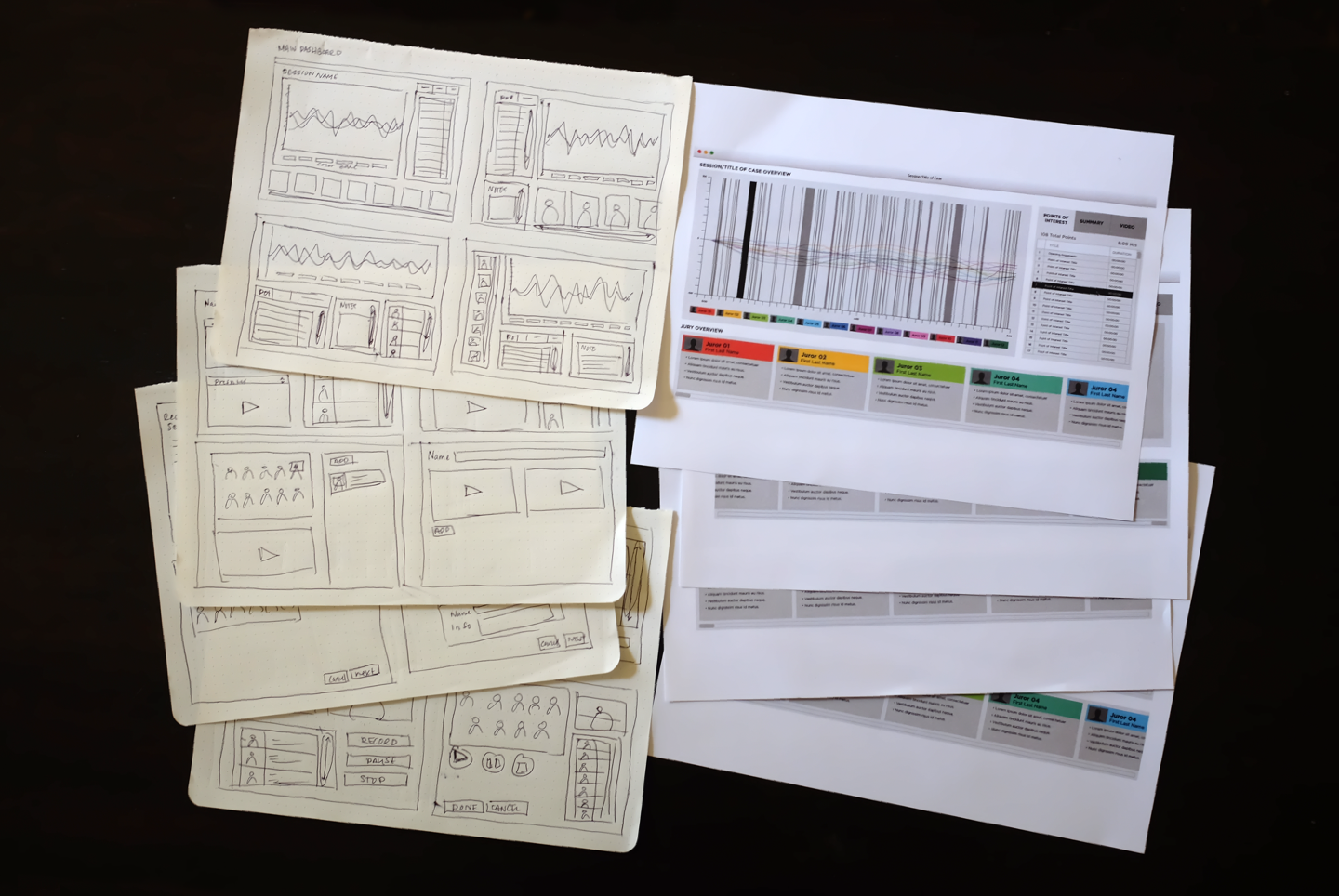
I then sketched and wireframed the user interface.

In order to translate the UX User Flow into the visual style of the UI, I created sketches. I worked closely with the software developer to conceive a UI design that was technically feasible. Sketching helped visualize the screen-to-screen interactions quickly and collaboratively.

The first iteration of the digitized wireframes were built after sketching. The wireframes conveyed the overall direction and description of the UI, gave an outline for the structure and layout of the screen, and presented the information that would be displayed. Feedback from the team, stakeholders, and users gave the confirmation to move forward.

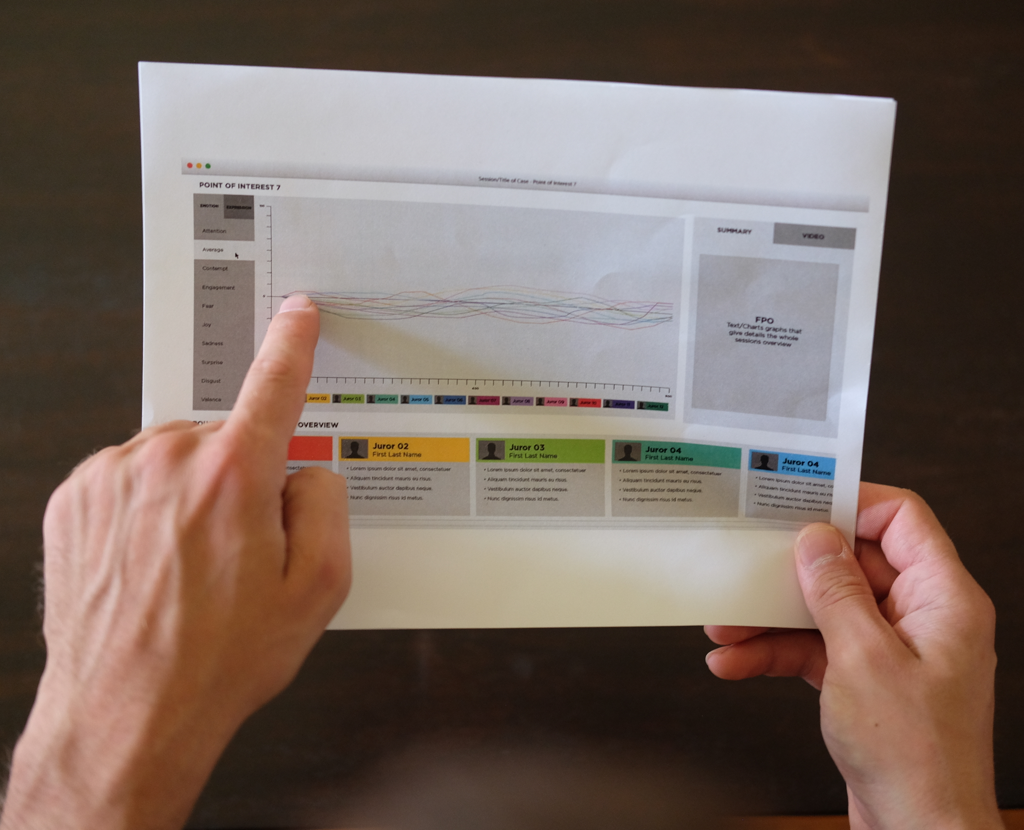
Paper Sketches and Wireframes

Photo: Paper Sketches and Wireframes

Prototype, Test & Iterate

I then prototyped, tested and iterated the product design. Knowledge gained from this process allowed me to find a UI design that would meet user needs as quickly as possible.

Low-Fidelity Prototype

I created a low-fidelity paper prototype based on the initial wireframes. This prototype provided a fast and cost-effective way to test my initial conceptualization of the user interface.

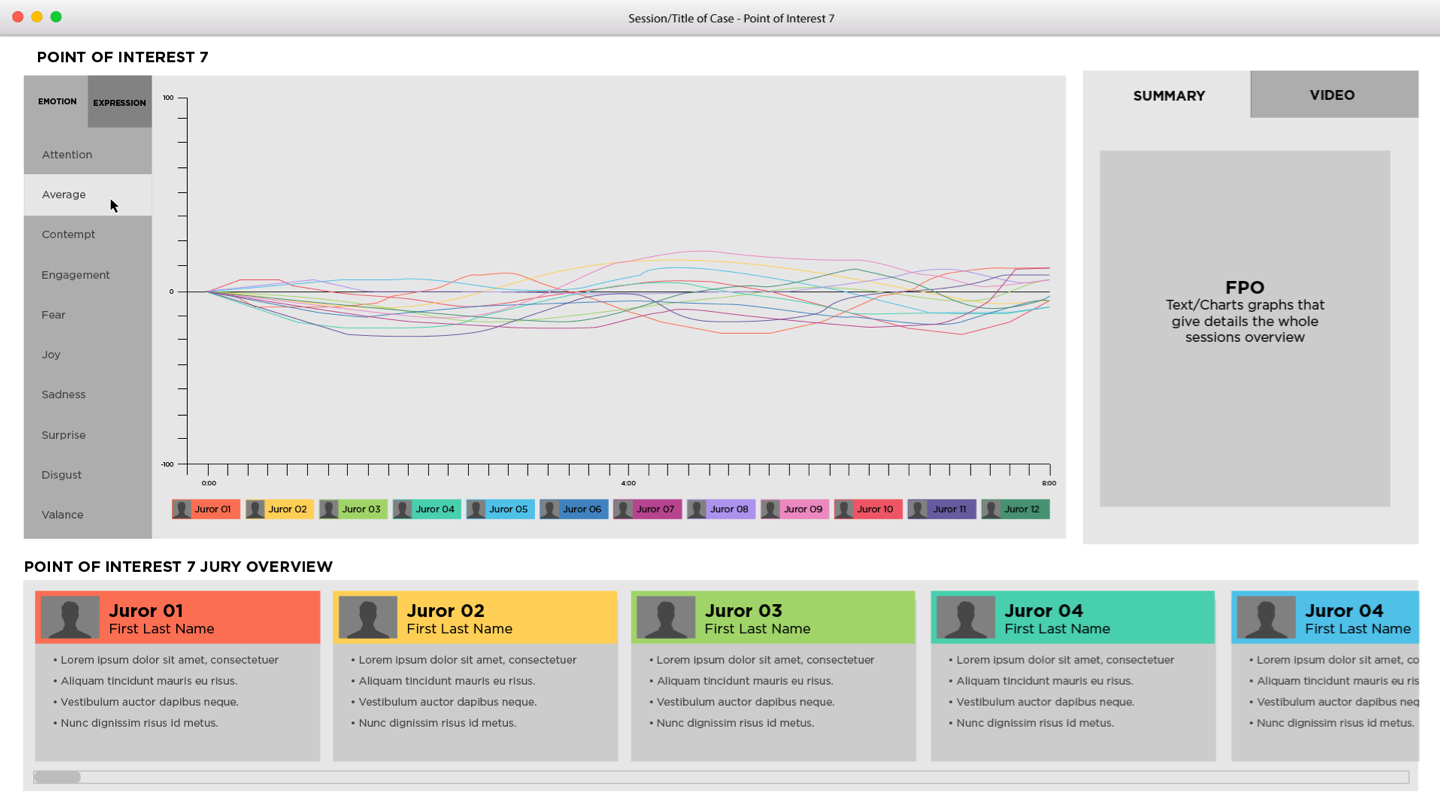
Low-Fidelity Prototype UI

  • Analyze screen UI
    Analyze screen UI
     Analyze screen UI - Zoom In

    Analyze screen UI

  • Analyze screen UI, hovering over line chart
    Analyze screen UI, hovering over line chart
    Analyze screen UI, hovering over line chart - Zoom In

    Analyze screen UI, hovering over line chart

  • Analyze screen UI, video tab open
    Analyze screen UI, video tab open
    Analyze screen UI, video tab open - Zoom In

    Analyze screen UI, video tab open

  • Analyze screen UI, hovering over juror
    Analyze screen UI, hovering over juror
    Analyze screen UI, hovering over juror - Zoom In

    Analyze screen UI, hovering over juror

  • Analyze screen UI, selecting emotion
    Analyze screen UI, selecting emotion
    Analyze screen UI, selecting emotion - Zoom In

    Analyze screen UI, selecting emotion

User Testing Paper prototype

Photo: User Testing Paper prototype

Low-Fidelity Prototype User Testing

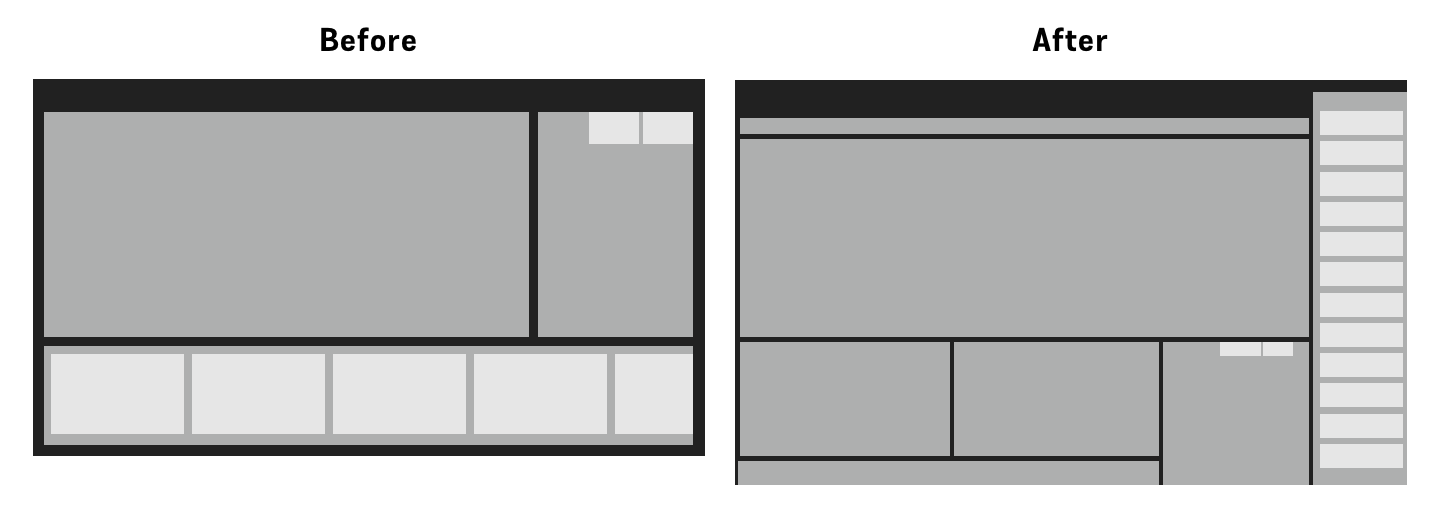
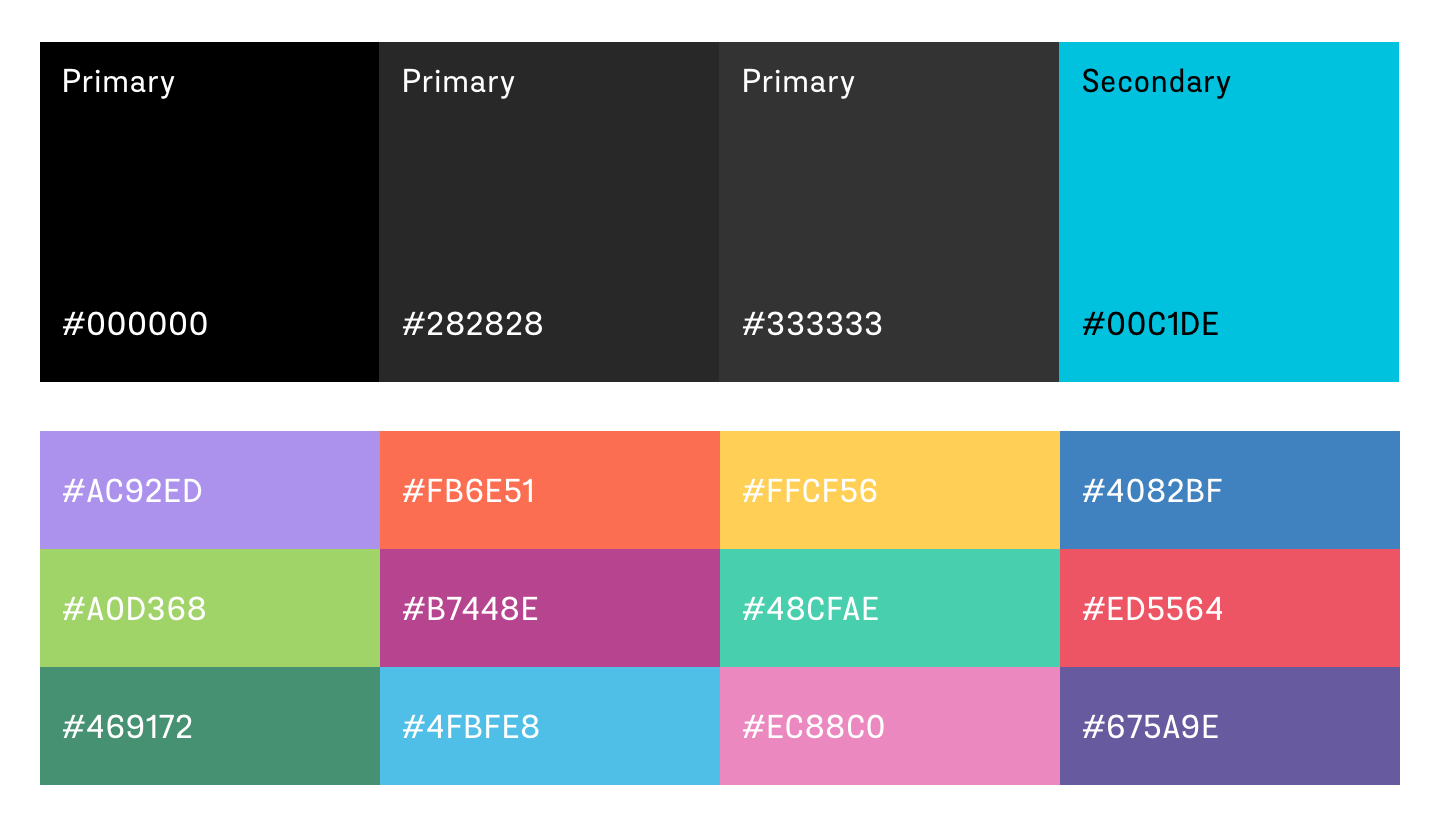
Users appreciated the visualization of data and liked that it was the center and primary focus of the screen. They did not like that they had to scroll in order to see the full list of jurors, and that they had to select a point of interest before they had the option to change which emotion or facial expression data that was displayed. They also suggested it would be easier to read the data on the graph if it were presented on a dark background, but they liked that color coding was used to differentiate between the jurors. Based on this assessment, I made major changes to the layout and developed a color palette that would make the line graph easier to read.

UI Layout before testing and after testing - Zoom In

Layout changes based on user feedback

UI color palette - Zoom In

Color pallet based on user feedaback

High-Fidelity Prototype

The feedback from the low-fidelity prototype allowed me to create a higher-fidelity prototype that was closer to the final design. To validate this UI design, I created a click-through prototype to implement in user testing.

Clickthrough prototype prototype to record a session

Photo: Clickthrough prototype prototype to record a session

Clickthrough prototype prototype to view a session

Photo: Clickthrough prototype prototype to view a session

Click-through prototype user testing

Photo: Click-through prototype user testing

High-Fidelity Prototype User Testing

I performed user testing on the high-fidelity click-through prototype. Overall, the feedback was positive and only minor changes were needed. One user pointed out that if there was a very long session with many ‘points of interest’, it could be difficult to keep track of them all. Taking this into consideration, we included a place to add notes to a ‘point of interest’, in addition to having general summary notes.

Functional Prototype

Once the UI design was validated and approved, it was given to the software developer for programming. This resulted in a functional prototype.

functional prototype user testing

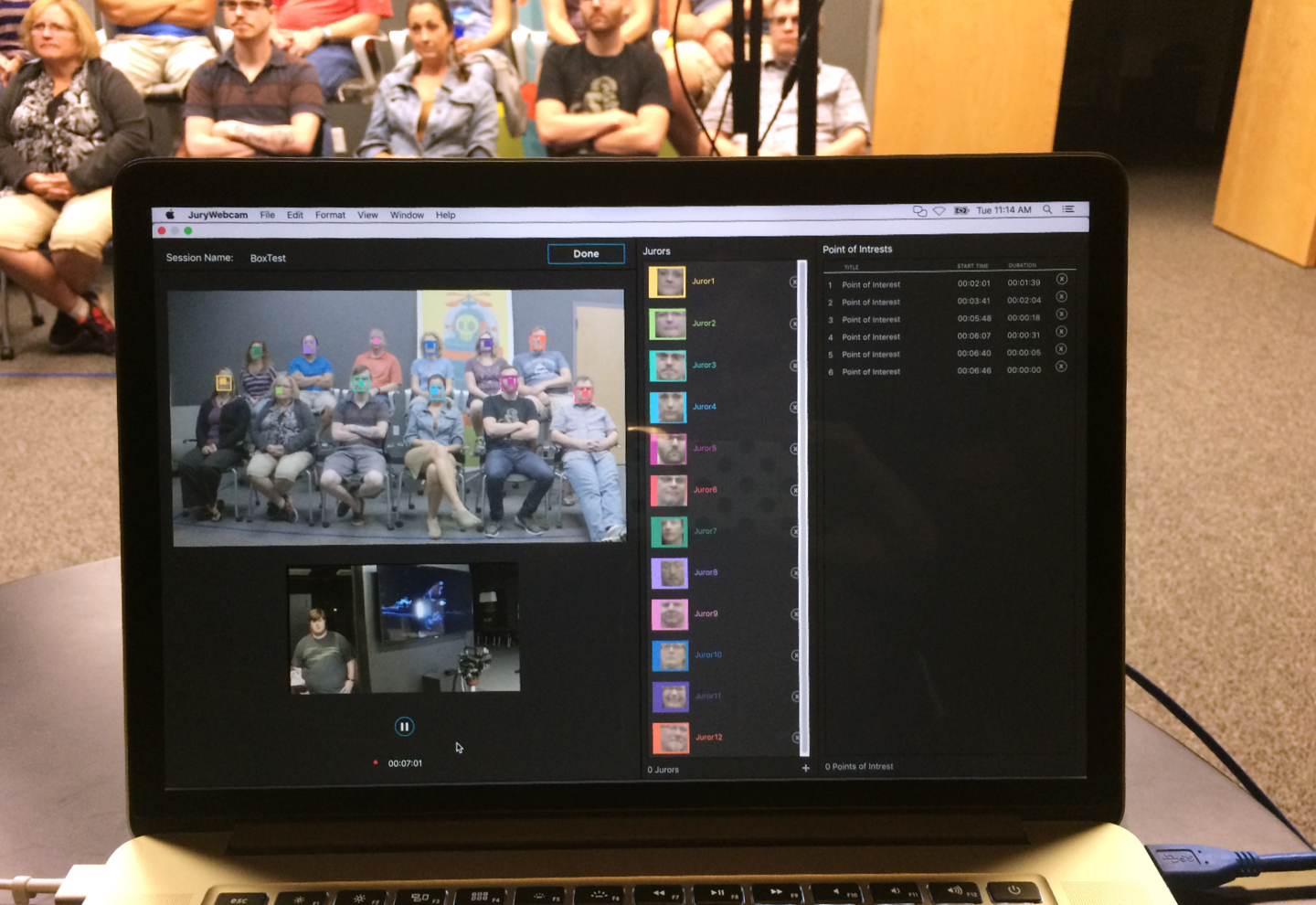
Photo: Functional prototype user testing

Functional Prototype User Testing

Testing the functional prototype with all of the working hardware was an important step in finalizing the product. With co-workers standing in as the jurors, I performed a final user test.

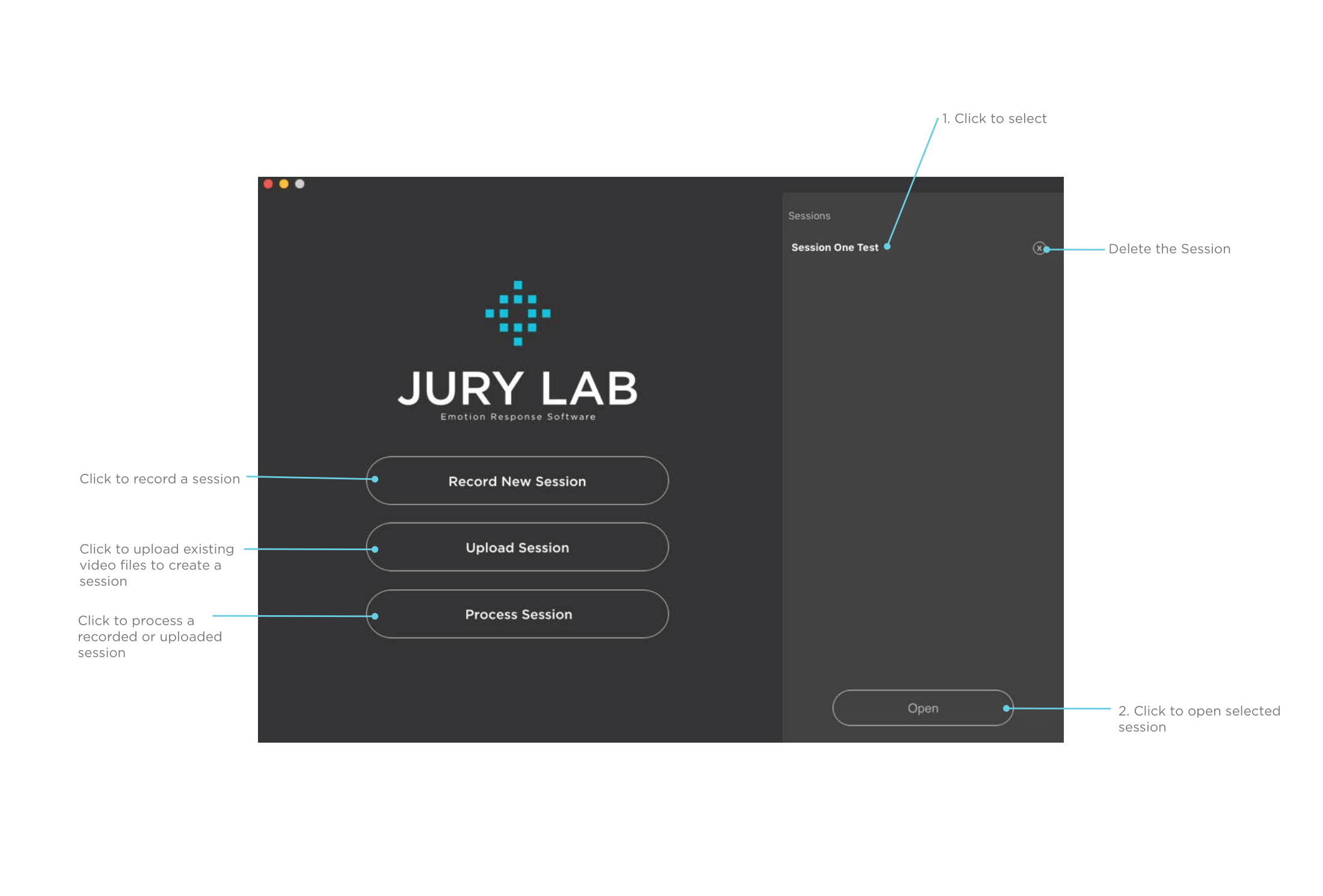
It became apparent that users may need to process videos that are not from a recording session in which the Jury Lab product was used. This resulted in us adding functionality for this scenario, as well as an “upload session” button to the home screen.

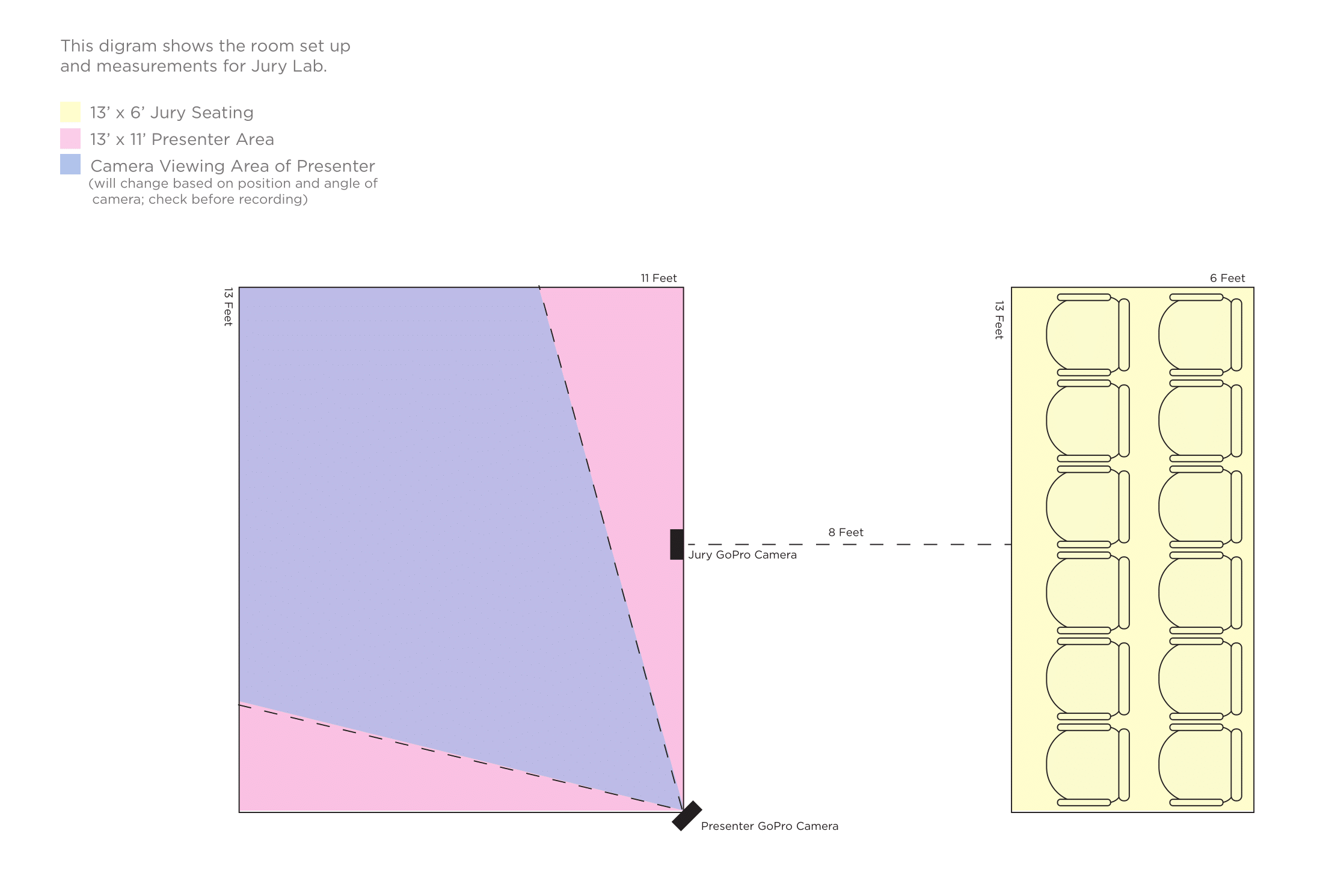
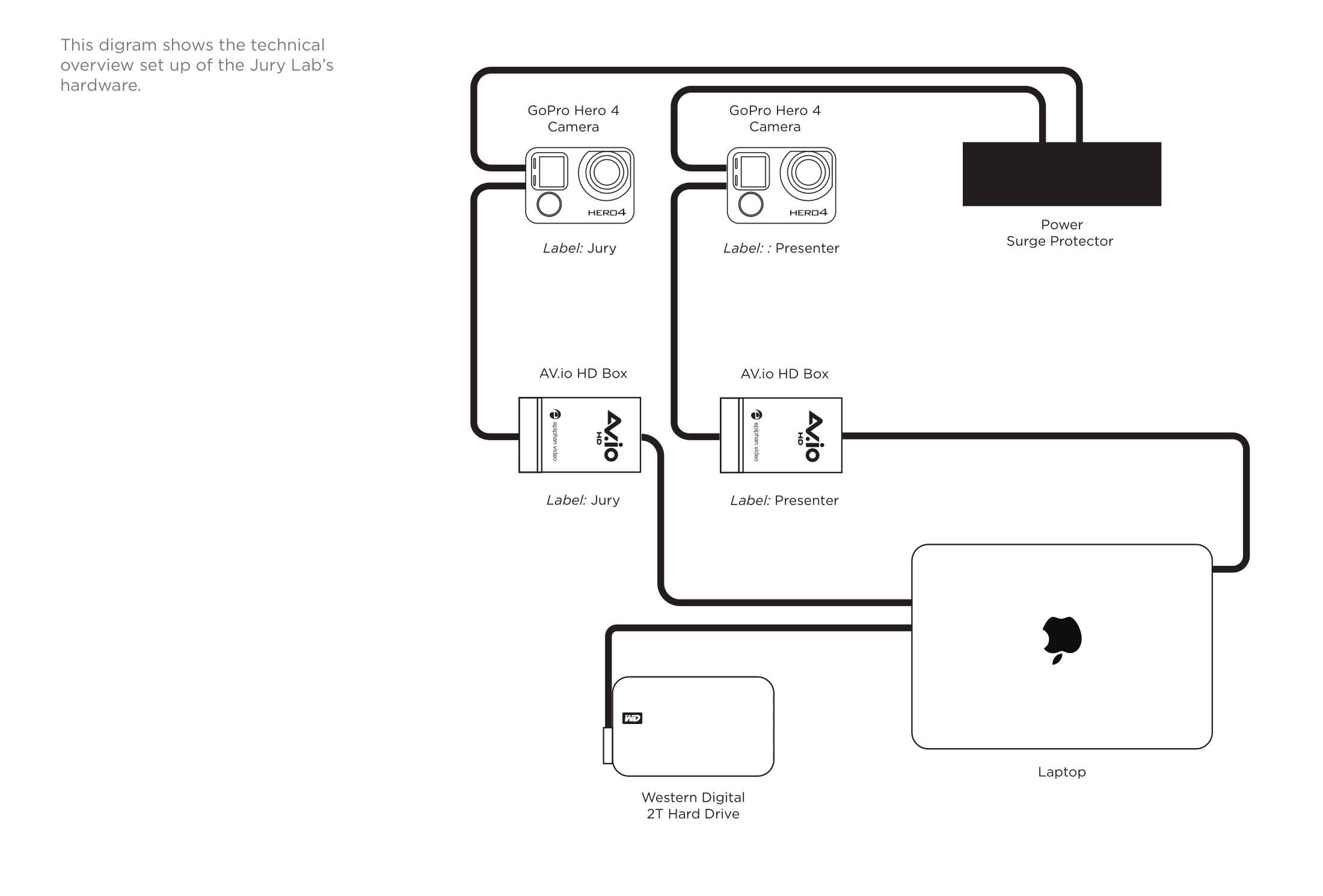
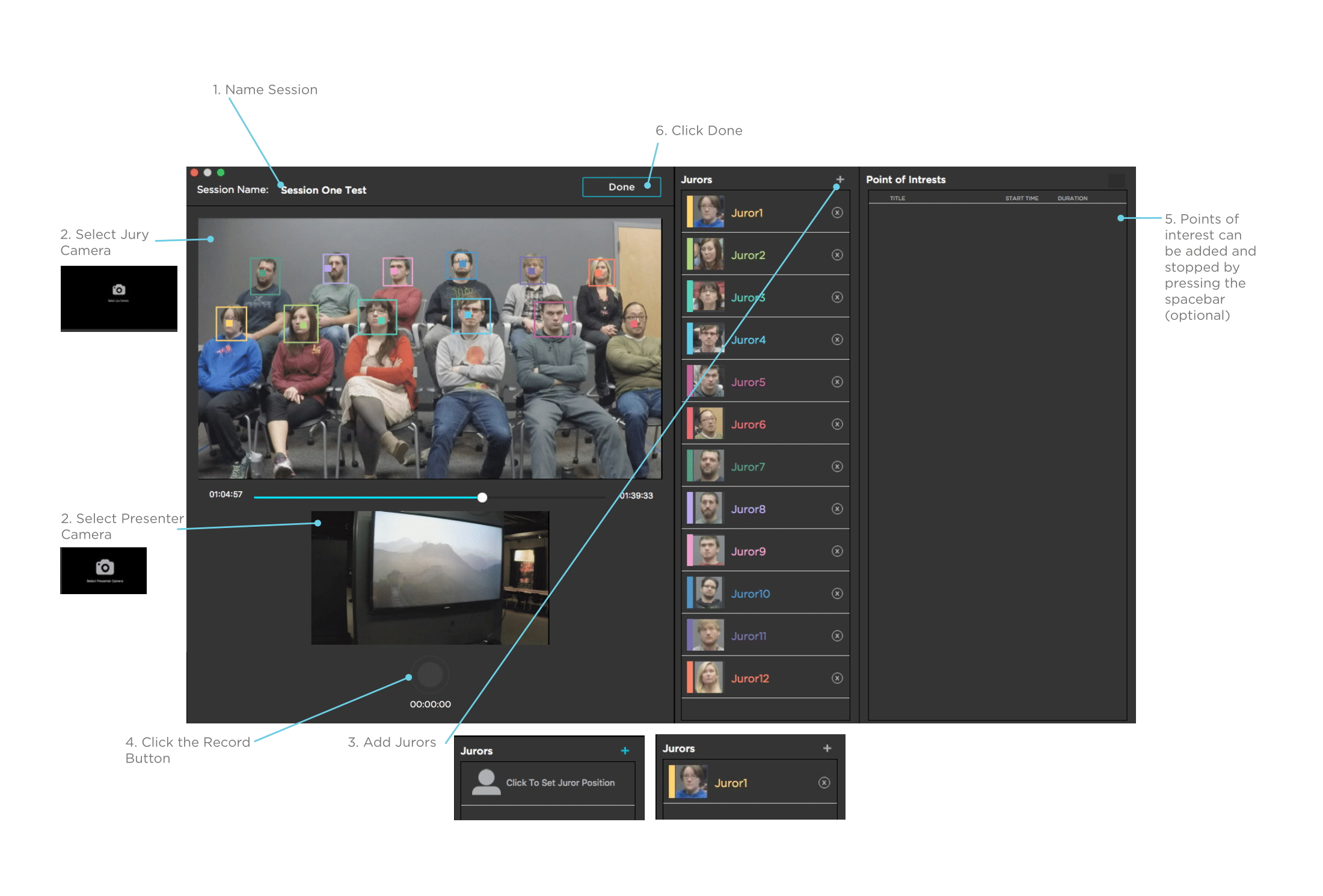
This test also defined the parameters needed for optimal results in a recording session, and validated the final product design. I created an instruction manual to clearly communicate the best way to use the technology.

Jury Lab Manual
  • Technical Setup Diagram
    Technical Setup Diagram
    Technical Setup Diagram - Zoom In

    Technical Setup Diagram

  • Technical Setup Detail Diagram
    Technical Setup Detail Diagram
    Technical Setup Detail Diagram - Zoom In

    Technical Setup Detail Diagram

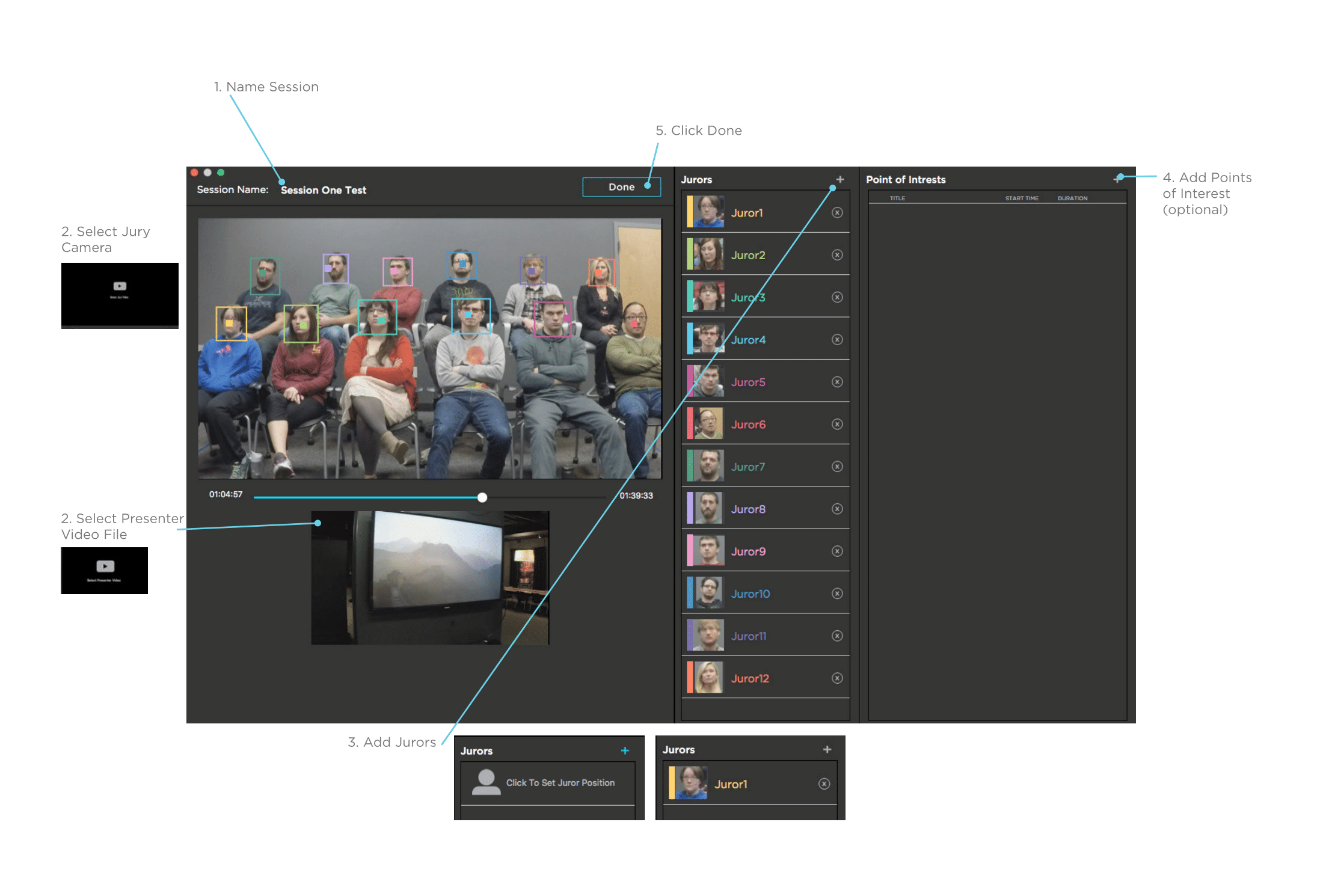
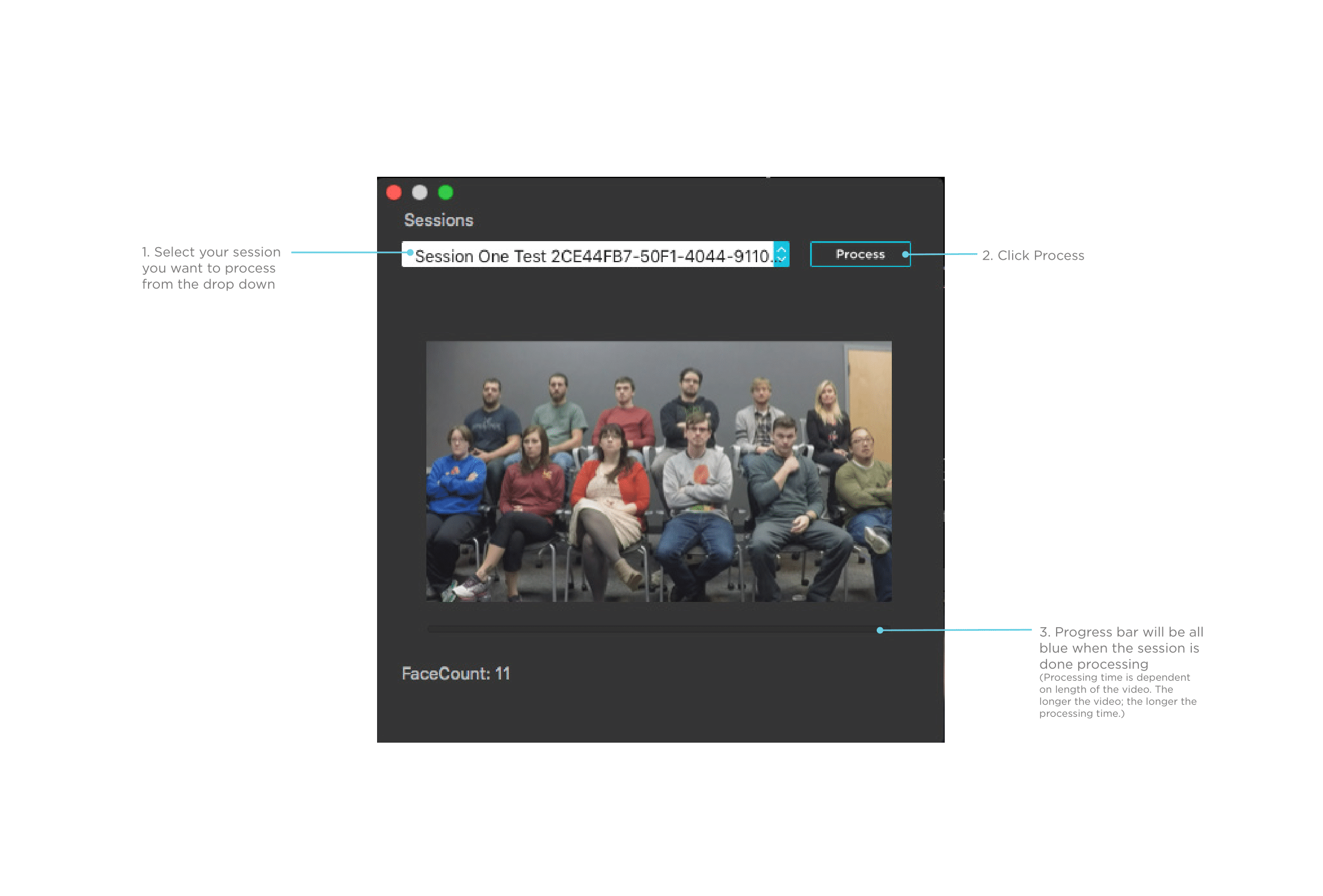
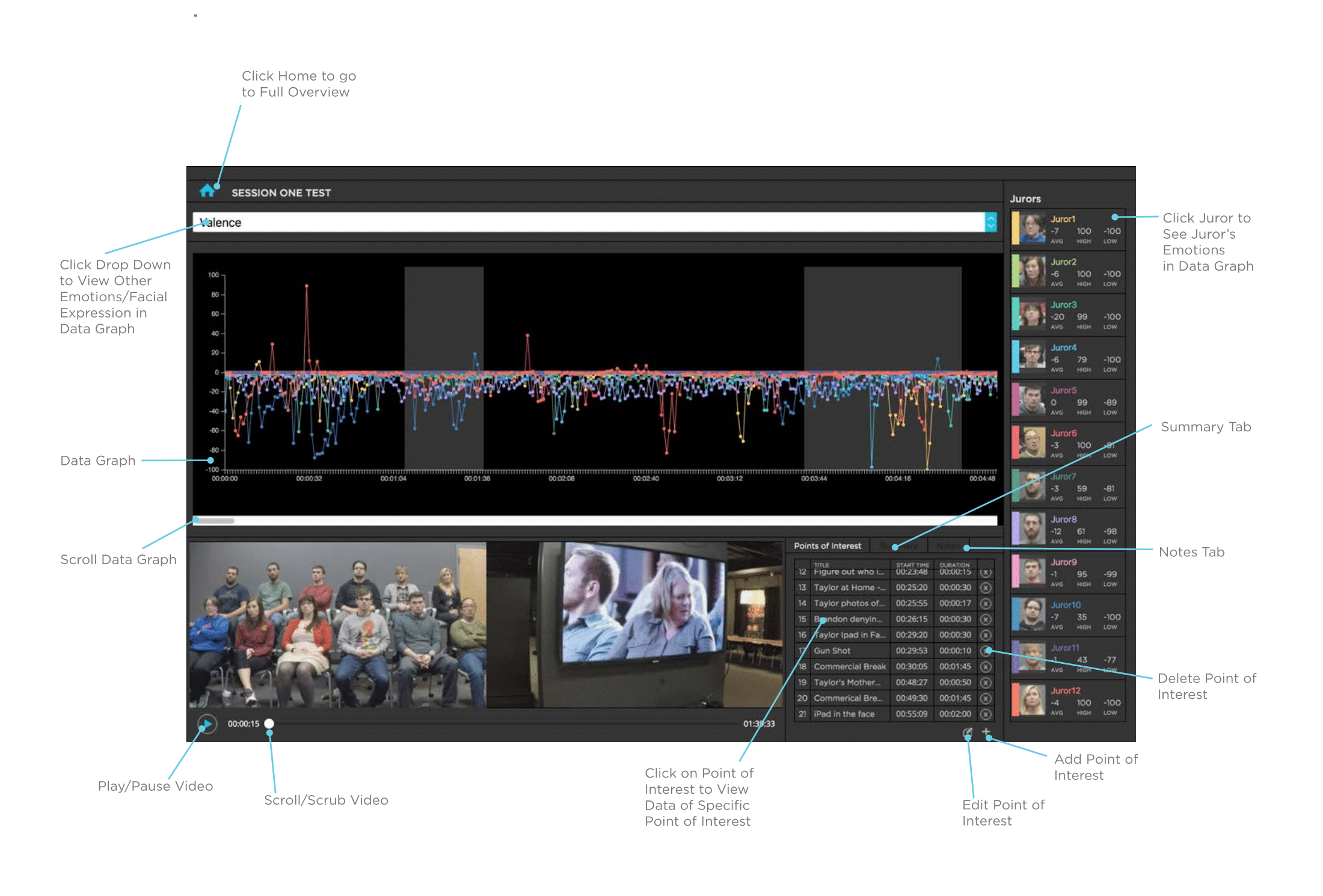
  • UI Documentation
    UI Documentation
    UI Documentation - Zoom In

    UI Documentation

  • UI Documentation
    UI Documentation
    UI Documentation - Zoom In

    UI Documentation

  • UI Documentation
    UI Documentation
    UI Documentation - Zoom In

    UI Documentation

  • UI Documentation
    UI Documentation
    UI Documentation - Zoom In

    UI Documentation

  • UI Documentation
    UI Documentation
    UI Documentation - Zoom In

    UI Documentation

Solution

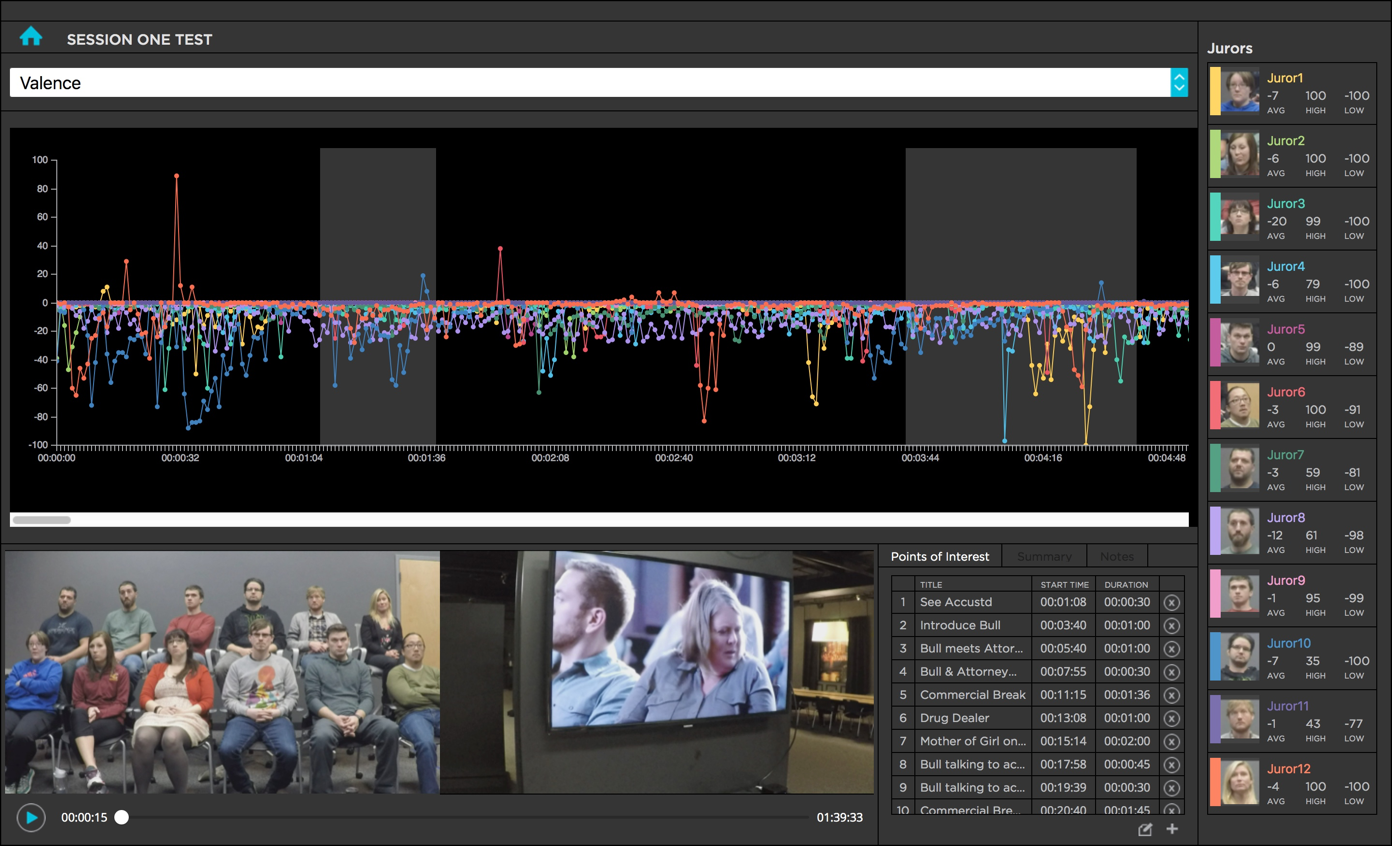
Jury Lab Emotion Response technology gives attorneys an understanding of the impact of their arguments on jurors by measuring their emotional responses. This helps attorneys tailor their arguments to achieve the desired result.

view session Jury Lab UI

How it works

  • Jury Lab uses a series of optical arrays to track and capture dozens of separate locations on the faces
  • Facial expressions are measured 6 times per second
  • Digital algorithms convert facial expressions into a measurable, numeric data output
  • A trial consultant and human behavior expert analysis the data and generates customized reports that legal teams can use to improve their arguments and strengthen their legal strategies
view session Jury Lab UI

Use Cases

Legal teams are able to test:
  • Arguments
  • Key points
  • Opening statements
  • Closing statements
  • Video evidence
  • Photographic evidence
  • Witnesses
view session Jury Lab UI

Product features

  • Analyze the facial expressions of 1 to 12 participants at a time
  • Process and analyze videos not recorded by the product
  • Add “points of interest” to mark timestamps and to organize the video and participants
  • Add notes to specific time stamps and sessions to keep all information organized and in one place
  • Record videos of the participants and the presenter simultaneously
  • Easily visualize complex data

20 different facial expressions and emotions can be analyzed inducing:

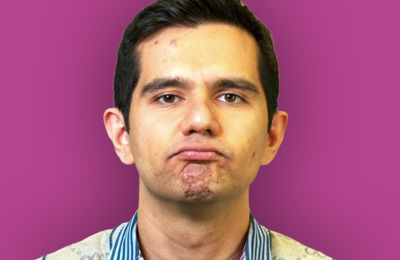
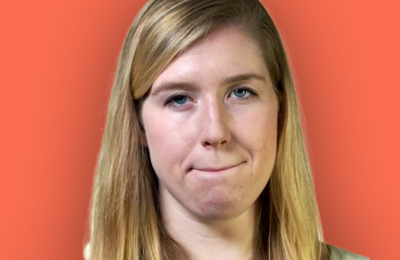
person with angry expression
Anger
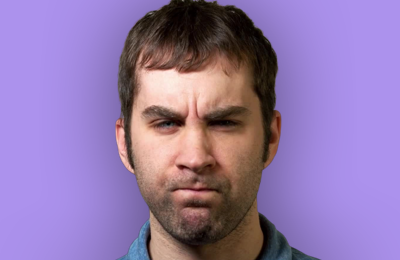
person with the expression of contempt
Contempt
person with the expression of disgust
Disgust
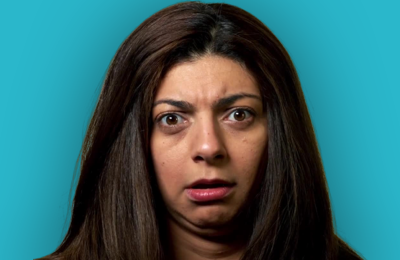
person with the expression of fear
Fear
person with the expression of joy
Joy
person with the expression of sadness
Sadness
person with the expression of surpise
Surpise
person with a netural expression
Valance
persion with a chin raise expression
Chin Raise
person with an eye closure expression
Eye Closure
person with an inner brow raise expression
Inner Brow Raise
person with an upper lip raise expression
Upper Lip Raise
person with a lip press expression
Lip Press
person with an eye widen expression
Eye Widen
person with a mouth open expression
Mouth Open
person with a lip pucker expression
Lip Pucker
person with a lip stretch expression
Lip Stretch
person with a nose wrinkle expression
Nose Wrinkle
person with a smile
Smile
person with a smirk
Smirk
person showing anger
Anger
person showing contempt
Contempt
person showing disgust
Disgust
person showing fear
Fear
person showing joy
Joy
person showing sadness
Sadness
person showing surpise
Surpise
person being neutral
Valance
person raising their chin
Chin Raise
person closing their eyes
Eye Closure
person showing sadness
Sadness
person showing surpise
Surpise
person being neutral
Valance
person raising their chin
Chin Raise
person closing their eyes
Eye Closure
person puckering their lips
Lip Pucker
person streching their lips
Lip Stretch
person wrinkling their nose
Nose Wrinkle
person smiling
Smile
Person smirking
Smirk

Conclusion

Jury Lab was successfully launched and was granted a patent for the software shortly after. As the product designer, I was included in the patent. Jury Lab is currently being used by Susan Constantine to help legal professionals.

 View the Jury Lab website  View the Jury Lab patent
photo of Susan Constaine

Training thousands of attorneys and government agencies how to read facial expressions of emotions and to detect deception has always been a rewarding career — but it’s a combination of art and science, not acquired overnight. With Jury Lab, my clients have a technology that allows us to read the relevant data points of the face linked to human emotion, and translate the interpretations into information that can be used to improve case strategies.
— Susan Constaine, MPsy

Project Insights

  • Seek out feedback early and continually
    Keeping the stakeholders in loop and testing solutions with users early in the process saved time and kept the project within budget
  • Connecting the big picture
    Testing the product with the full functionality and all the parts working together was essential even though it took extra time and resources. In this case it included a specific physical set up with specific hardware and coordinating over 20 participants at once.
  • Present clearly to stakeholders
    In order to get buy in to stakeholders it’s important to present both the problems and the solutions in a clear and practical manner